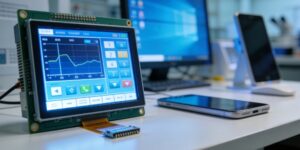
As digital tools become more accessible, more beginners are entering creative fields such as graphic design, digital illustration, video editing, and online content creation. One device that often attracts attention is the Touch Display, which allows users to interact directly with their work through taps, gestures, and stylus input. For newcomers, this seems like an intuitive and modern way to start creating. However, the real question is whether a Touch Display is truly suitable for beginners or if it adds unnecessary complexity. The answer depends on learning goals, budget, and how quickly a user adapts to digital workflows. This article explores the advantages and challenges beginners may face when using such devices.
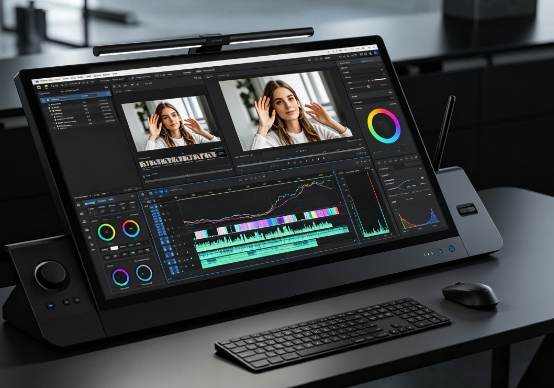
Why a Touch Display Is Beginner-Friendly
For many new users, a Touch Display offers a more natural and intuitive introduction to digital creation compared to traditional input methods.
- Intuitive interaction style: Beginners can directly tap, drag, and draw on the screen, making the learning process feel similar to using paper or physical tools.
- Faster understanding of digital tools: Instead of learning complex mouse movements, users interact directly with objects, which reduces confusion in the early stages.
- Encourages creative exploration: New users are more likely to experiment with brushes, shapes, and editing tools when they can see immediate results on screen.
- Reduced reliance on shortcuts: Many basic functions can be performed through touch gestures, allowing beginners to focus on creativity rather than memorizing commands.
These advantages make the Touch Display an attractive option for those just starting their digital creative journey.
Learning Curve and Initial Challenges
Although it is beginner-friendly, a Touch Display still presents certain learning challenges that users should be aware of.
- Hand coordination adjustment: Beginners may need time to adapt to drawing directly on a vertical or angled screen instead of a flat surface.
- Stylus pressure control: Learning how much pressure to apply for different strokes can be difficult at first, especially in illustration software.
- Interface complexity of creative software: While the device is intuitive, programs like Photoshop or animation tools still require time to learn.
- Gesture overuse confusion: New users may accidentally trigger gestures such as zooming or rotating, which can interrupt workflow.
These challenges are not major barriers but require patience and consistent practice to overcome.
Benefits for Skill Development and Learning Progress
A Touch Display can significantly support beginners in building creative skills faster and more effectively.
- Visual feedback learning: Users see immediate results of their actions, helping them understand how tools affect images or designs.
- Better hand-eye coordination development: Drawing directly on the screen improves coordination more quickly than using a mouse.
- Encourages structured practice habits: Beginners often feel more motivated to practice when the interaction feels natural and engaging.
- Supports multiple learning styles: Whether learning through video tutorials or hands-on practice, a Touch Display adapts well to different learning approaches.
This makes it a powerful learning tool for those serious about entering creative industries.
Practical Considerations Before Buying
Before choosing a Touch Display, beginners should carefully evaluate whether it fits their needs and budget.
- Cost vs usage frequency: Entry-level models may be affordable, but professional-grade devices can be expensive for casual learners.
- Space and setup requirements: Some devices require additional workspace or adjustable stands, which may not suit small environments.
- Software compatibility: Not all beginner software fully supports advanced touch or stylus features, limiting potential use.
- Long-term learning value: Beginners should consider whether they plan to continue in creative fields or just explore casually.
These factors help ensure that the investment matches the user’s long-term learning goals.
When Might Touchscreen Displays Be Unnecessary?
While a Touch Display is useful, it is not always essential for beginners, depending on their intended use.
- Basic office tasks: For word processing, browsing, or simple tasks, a mouse and keyboard are often more efficient.
- Casual creative exploration: Beginners who only occasionally edit images or create simple designs may not need advanced touch features.
- Budget limitations: Entry-level users can achieve basic creative results with standard devices before upgrading later.
- Preference for traditional learning: Some users may find mouse-and-keyboard workflows easier to understand initially.
This shows that suitability depends heavily on personal goals and usage intensity.
Conclusion
In conclusion, a Touch Display can be a highly suitable tool for beginners, especially those interested in design, illustration, or creative digital work. It offers an intuitive interface, encourages faster learning, and provides a more engaging way to develop creative skills. However, it also comes with a learning curve and cost considerations that may not suit every user. For beginners committed to creative growth, it can be an excellent long-term investment. For casual users, simpler setups may be more practical. Ultimately, its suitability depends on how seriously a beginner plans to pursue digital creation and how much value they place on interactive learning.
0